Age of Empires 2 Mac System Requirements 2026
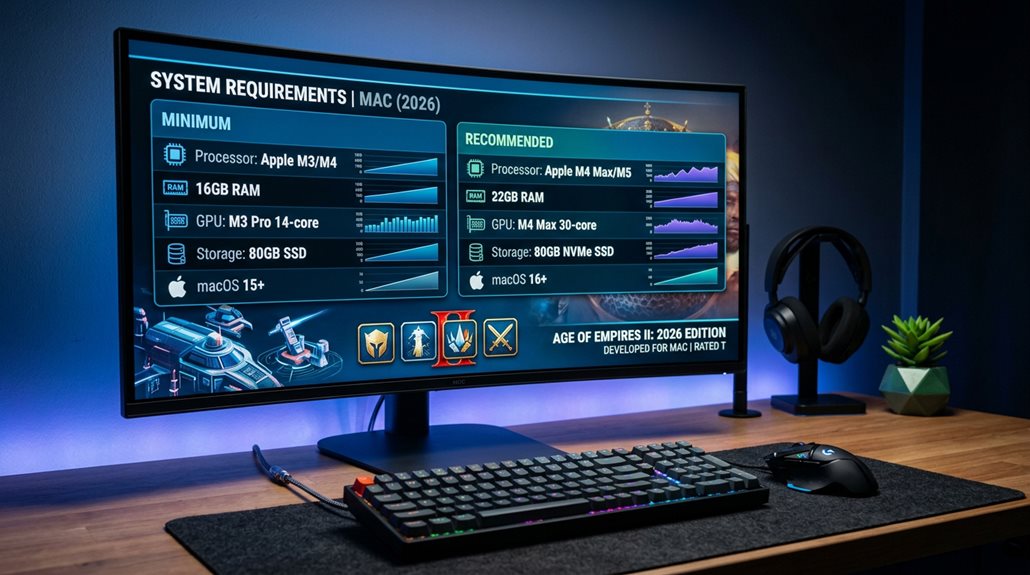
To run Age of Empires 2 on a Mac in 2026, your system must have an Apple Silicon chip like M1, M2, or M3, with at least 8 GB of RAM, running macOS 15.7 Sequoia or newer for native support and peak performance. Older Intel Macs may need virtualization tools or workarounds to be compatible. Ensuring your hardware and software meet these specifications is essential, and further details on setup and configuration can help improve your gaming experience.
Scout Report
- Native support for Age of Empires 2 on Mac requires Apple Silicon chips (M1, M2, M3) with at least 8 GB RAM.
- macOS must be version 15.7 Sequoia or newer for optimal compatibility and performance.
- Older Intel Macs may need virtualization or workarounds to run the game effectively.
- Adjust graphics settings and resolution based on hardware capabilities to ensure smooth gameplay.
- Cloud gaming or virtualization tools can be alternative options if hardware or system requirements are not met.
Can My Mac Run Age of Empires 2 in 2026?

If you want to play Age of Empires 2 on your Mac in 2026, you need to make certain your system meets specific hardware and software requirements. Your Mac must have Apple Silicon chips like M1, M2, or M3, with at least 8 GB RAM and 16 GB storage. If not, cloud gaming options or hardware upgrades may be necessary for compatibility. Additionally, compatibility with system hardware is crucial for optimal performance. Supported Mac models now include the latest Apple Silicon Macs, ensuring smooth gameplay without workarounds.
Which macOS Version Do I Need for Native Support?
To run Age of Empires 2 with native support on a Mac, your system must be updated to at least macOS Sequoia 15.7, which is the minimum version required for compatibility. Systems with versions below this can’t support the game, while those running macOS 15.8 or 15.9 will have full native performance. Older macOS versions like Big Sur or Monterey aren’t supported. Additionally, only Apple Silicon Macs with chips such as M1, M2, or M3 meet the hardware and OS requirements for native execution. Users should verify their OS version through system settings before attempting to launch the game. Ensuring compatibility with the latest software updates is crucial for optimal gameplay experience. It’s also important to note that native support often results in better performance and stability compared to emulation or virtualization methods.
Minimum macOS Version
For native support of Age of Empires 2 on Mac, you need to run a minimum macOS version of 15.7 Sequoia.
Compatibility requires this version or newer, so a hardware upgrade may be necessary if your system runs an older macOS, such as Big Sur 11.1 or earlier.
This guarantees peak performance and avoids issues related to macOS compatibility.
Compatibility Timeline
The timeline for running Age of Empires 2 natively on a Mac is defined by specific macOS versions and hardware requirements.
For full support, you need macOS 15.7 or newer on Apple Silicon processors, which eliminates the need for virtual solutions.
Legacy hardware, such as older Intel Macs, can’t run the game natively and require virtual workarounds.
Update Requirements
Running Age of Empires 2 natively on a Mac requires your system to be updated to macOS Sequoia 15.7 or a newer version.
This update guarantees graphics optimization and system stability.
It also eliminates the need for virtual machine alternatives, as the game runs directly on supported hardware, providing better performance and avoiding issues associated with virtualization or outdated operating systems.
How to Check If Your Mac Meets Age of Empires 2 Requirements
To determine if your Mac can run Age of Empires 2, you should first check your macOS version to ensure it’s at least Sequoia 15.7, as newer versions like macOS Tahoe 26+ are compatible, while older versions are not.
Next, verify your hardware specifications, including the processor type—Apple M1 or newer chips are required for native play—and confirm that your RAM and storage meet the minimum requirements of 8 GB RAM and 16 GB free space.
Lastly, review your graphics card capabilities, making sure your built-in Apple Silicon GPU has at least 2 GB of VRAM, as external graphics cards aren’t supported on non-Silicon Macs. Additionally, system compatibility is essential to ensure smooth gameplay and avoid performance issues.
Verify macOS Version
Checking your macOS version is an essential step to verify your Mac meets Age of Empires 2 requirements in 2026. You can do this through the Apple menu, system settings, or Terminal.
Ensuring your macOS is 10.15 Catalina or newer is necessary.
If your system isn’t compatible, cloud gaming or emulation options may offer alternative ways to run the game.
Check Hardware Specifications
Evaluating whether your Mac meets the hardware specifications for Age of Empires 2 requires accessing detailed system information about your device’s components.
You can do this through the “About This Mac” menu or the Kernel System Information app.
Checking processor type, RAM, graphics, and storage helps determine hardware compatibility and allows for performance optimization, ensuring your Mac runs the game effectively.
What Hardware Do You Need for the Best Age of Empires 2 Experience?
For the best experience playing Age of Empires 2 on a Mac in 2026, your hardware needs to meet specific requirements that guarantee smooth gameplay and high-quality graphics.
Upgrading hardware components, such as a compatible Apple Silicon GPU with at least 7 cores and ensuring software optimization, helps maximize performance.
Adequate RAM, storage, and processor speed are essential for peak gameplay.
Recent insights into AOE2 performance on MacBook reveal that the game can run smoothly on M1, M2, M3, and M4 chips with appropriate settings, making it genuinely enjoyable on the most commonly owned Mac hardware.
What Are Your Options If Your Mac Isn’t Compatible?

If your Mac isn’t compatible with running Age of Empires 2 directly, there are several options to contemplate that can still allow you to enjoy the game.
Virtualization options like Parallels Desktop, VMware Fusion, CrossOver, VirtualBox, and Wine enable running Windows or creating compatibility layers.
Additionally, cloud gaming platforms such as Xbox Cloud Gaming and NVIDIA GeForce Now offer streaming services that bypass hardware limitations.
For a seamless experience, it’s helpful to consider Feral Interactive port, which ensures the game is optimized for macOS.
Preparing Your Mac for Age of Empires 2: Updates and Setup Tips
Preparing your Mac for Age of Empires 2 requires guaranteeing that your system is properly updated and configured to avoid compatibility issues and optimize performance. Update to macOS 15.7 or later, with all security patches installed. Confirm hardware capacity, including at least 8GB RAM, and verify your Steam client is current. Proper setup supports game modding and multiplayer setup, essential for a smooth experience. Additionally, ensure your system meets the Age of Empires 2 Mac release details, which confirms compatibility and helps you prepare accordingly.
What Graphics and Display Settings Help You Play Smoothly?
To play Age of Empires 2 smoothly on your Mac, it’s essential to optimize your graphics and display settings based on your hardware capabilities. Adjust graphics optimization and display calibration by selecting appropriate resolutions, such as 1280×720 for lower-end Macs or 2560×1440 on high-performance systems. Proper VRAM allocation and driver compatibility also improve texture quality and frame rates for a smoother experience. Additionally, understanding how each graphics setting impacts visual quality and performance allows for a more tailored gaming experience.
Frequently Asked Questions
Will Age of Empires 2 Run on Intel Macs in 2026?
Age of Empires 2 likely won’t run smoothly on Intel Macs in 2026, as game graphics and system performance depend on Apple Silicon hardware. Virtualization may work but causes reduced performance, so upgrading to an Apple Silicon Mac is recommended.
Is an Internet Connection Required to Install Age of Empires 2?
Yes, you’ll need an internet connection to install Age of Empires 2 via digital download, especially for multiplayer requirements like online activation, license verification, and updates, ensuring smooth gameplay and access to all features.
Can I Play Age of Empires 2 With a Non-Apple Silicon Mac?
You can’t natively play Age of Empires 2 on a non-Apple Silicon Mac due to mac gaming and software compatibility issues. You must use virtualization or compatibility layers, which considerably impact performance and gaming experience.
What Are the Recommended Storage Specifications for Smooth Gameplay?
For smooth gameplay, you should have a storage capacity of around 43 GB, ideally on an SSD, to guarantee quick load times and updates. SSDs greatly enhance performance, making your gaming experience more responsive and seamless.
Will Updates Affect the Game’s Compatibility on Older Macs?
Updates will impact your older Mac’s graphics compatibility and software support, making it incompatible if your system doesn’t meet new OS and hardware requirements. You may need newer hardware or virtualization to keep playing smoothly with these updates.
GG
In summary, to play Age of Empires 2 on your Mac in 2026, you need a compatible macOS version, sufficient hardware specifications, and proper setup. If your system doesn’t meet these requirements, consider options like updating your software, adjusting game settings, or exploring alternative platforms. Ensuring your Mac is prepared with the right updates and configurations will help you enjoy a smooth gaming experience, but compatibility remains essential for peak performance.