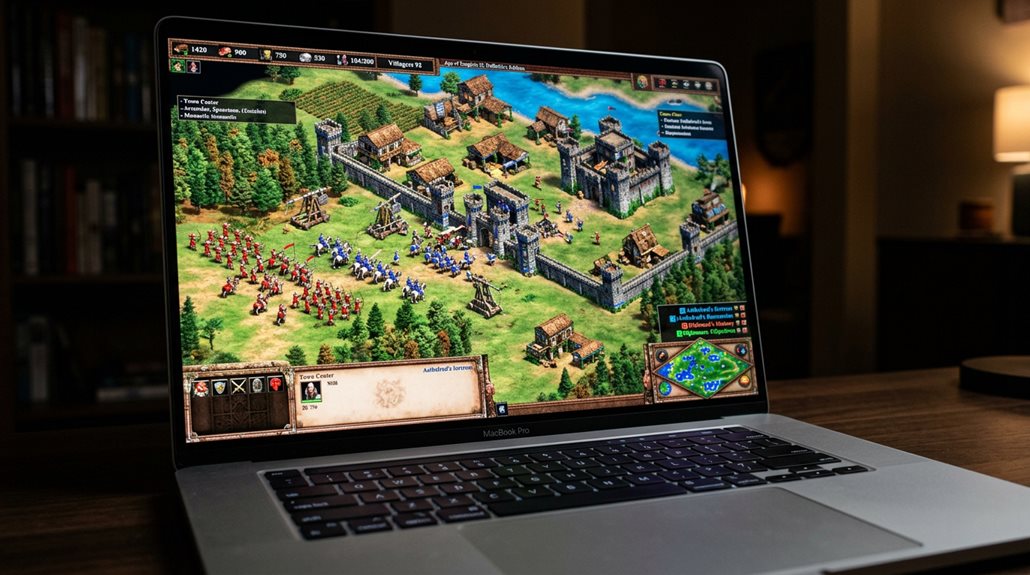
Is Age of Empires 2 Available on Mac?
Yes, Age of Empires II: Definitive Edition is available on Mac through a native port launched on May 28, 2026, developed by Feral Interactive for peak performance. It supports multiplayer and cross-platform play with Windows, features 4K visuals, and runs smoothly on newer Macs, including those with Apple Silicon. To play, you can purchase it via Steam or the Feral Store. Compatibility issues may arise with virtual machines or system updates, but future updates aim to improve performance and features. Continuing will provide more detailed information on accessing this game on Mac.
Scout Report
- Age of Empires II: Definitive Edition is available natively on Mac as of May 28, 2026.
- The game supports multiplayer and cross-platform play with Windows.
- It requires macOS 15.7 or newer and Apple Silicon processors for optimal performance.
- Purchase options include Steam and Feral Store, with a discounted launch price.
- Some multiplayer and graphics features may be limited on Macs, especially older or system-specific configurations.
Is Age of Empires II: Definitive Edition Available on Mac?

Yes, Age of Empires II: Definitive Edition is now available on Mac, marking a significant update for Mac users who want to play this popular strategy game natively on their computers. The game supports multiplayer matchmaking, allowing cross-platform play between Windows and Mac. Digital rights are maintained through Steam and Feral Store, making access straightforward for existing owners. Additionally, the Mac version features 4K visuals and remastered soundtrack, enhancing the overall gaming experience with modernized graphics and audio. This port is based on the Feral Interactive port, ensuring a smooth and optimized gameplay experience for Mac players.
When Did the Mac Version Launch?
The Mac version of Age of Empires II: Definitive Edition officially launched on May 28, 2026, marking the first time the game became available natively on macOS. It features updated game graphics and control schemes optimized for modern Macs, supporting native ARM compatibility. This release guarantees a seamless gaming experience, without emulation or backward compatibility issues. Players on Mac can now enjoy the full range of content and expansions with improved performance and stability. The launch also signifies the game’s expansion to a broader audience, highlighting the importance of platform-specific optimization in modern game development.
How Do I Play Age of Empires II on Mac?
You can play Age of Empires II on a Mac by taking advantage of native support for Apple Silicon, which allows some newer Macs to run the game directly without extra software. Alternatively, you can access the game through emulation methods like running Windows on your Mac using virtual machine software or compatibility layers such as CrossOver. These options provide different ways to run the game depending on your Mac’s hardware and your technical comfort level. Be aware that cross-platform multiplayer support for Age of Empires II may vary depending on the platform and game version.
Native Support for Apple Silicon
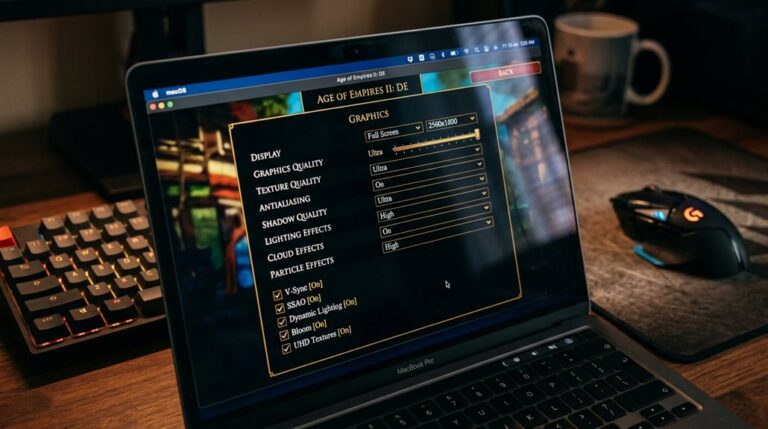
Playing Age of Empires II on a Mac with Apple Silicon hardware is now straightforward because the game has been released with native support for these devices. It offers graphics enhancements like 4K resolution and Retina display scaling, improving visual quality.
However, multiplayer limitations exist, as crossplay between Windows and macOS isn’t supported, restricting multiplayer interactions to Steam’s network.
Accessing Through Emulation
Accessing Age of Empires II on a Mac through emulation involves using software that creates a virtual Windows environment on your computer. This allows you to run the game as if it were on a Windows machine.
Options like Parallels Desktop, Crossover, Wineskin, or Porting Kit support hardware compatibility.
Cloud gaming is less common but may provide alternative access methods.
What Are the System Requirements for Playing on Mac?
To run Age of Empires II on a Mac, it’s important to meet specific system requirements that vary depending on the version and method of play.
For the latest versions, your Mac needs macOS 15.7 or newer, Apple Silicon processors, and 8 GB RAM.
Graphics compatibility is essential, especially with integrated Apple Silicon GPUs.
Virtualization options require compatible Windows systems and graphics cards.
Additionally, hardware compatibility is crucial to ensure smooth gameplay and optimal performance.
How Can I Purchase and Play Age of Empires II on Mac?

You can purchase and play Age of Empires II on your Mac through options like Steam and the Feral Store, both offering native versions. Steam provides a discounted price of $10.55, with full retail pricing expected later. DLC packages are available on both platforms, and multiplayer modes are supported, enhancing online gameplay without needing emulation or virtual machines. Additionally, the Feral Interactive port launched in May 2026, ensuring a smooth and optimized experience on macOS.
Are There Any Compatibility Issues for Mac Players?
While Age of Empires II is available for Mac, there are several compatibility issues you should know.
Graphics performance may be limited, especially on Apple Silicon chips.
Multiplayer functionality is often restricted or unreliable.
External drive formatting and system updates can cause launch failures.
Existing support options may require specific configurations or workarounds to improve stability and gameplay.
Additionally, unique units and tech trees can sometimes face compatibility challenges, impacting gameplay experience on Mac.
What Are the Future Updates for Age of Empires II on Mac?
Future updates for Age of Empires II on Mac are planned to improve both the game’s performance and its features, making it more appealing to Mac users. These include graphical enhancements like 4K visual fidelity and new animation sequences.
Along with these visual improvements, there are efforts to improve multiplayer connectivity. Ongoing development focuses on stabilizing performance, supporting community scenarios, and synchronizing content across platforms. Additionally, developers are exploring ways to enhance Vikings strategy, emphasizing their strengths on water maps and their role as team support civilizations.
Frequently Asked Questions
Is Age of Empires II: Definitive Edition Compatible With Intel-Based Macs?
Age of Empires II: Definitive Edition isn’t compatible with Intel-based Macs natively. You can try virtualization with Parallels Desktop, but expect reduced gaming performance. For better experience, consider upgrading to Apple Silicon for native support.
Can I Play the Game Offline on My Mac?
Yes, you can enjoy Mac gaming offline, but guarantee software compatibility by enabling Steam’s “Go Offline” mode after online authentication. Verify game files are complete, and avoid missing dependencies for seamless offline play on your Mac.
Are Multiplayer Features Available on Mac Versions?
In mac gaming, multiplayer support is limited to Mac-only matches on Steam and Mac App Store versions, with no cross-platform multiplayer. If you use cross-over or cloud gaming, you can access multiplayer features with Windows players.
Will the Mac App Store Version Cost the Same as Steam?
The Mac App Store pricing for Age of Empires 2 isn’t confirmed yet, but it’s expected to be similar to Steam, considering typical Mac gaming costs and the estimated $36.00 App Store price, slightly higher than Steam’s discounted rate.
Is There Cross-Platform Play Between Mac and Windows Versions?
Yes, there’s full cross-platform compatibility, allowing you to enjoy multiplayer functionality seamlessly between Mac and Windows. You can join games, chat, and play together without restrictions, thanks to synchronized updates and official support for cross-platform play.
GG
Yes, Age of Empires II: Definitive Edition is available on Mac through platforms like Steam and Microsoft Store using compatibility tools such as Parallels or Boot Camp. The game was released on Mac in 2020, and you can purchase it online. Make certain your Mac meets the system requirements, including sufficient RAM and storage. Compatibility is generally good, but updates may vary. Regular updates are planned to improve gameplay and stability for Mac users.



One Comment