

AOE2 PS5 Vs PC: Which Version Should You Play?
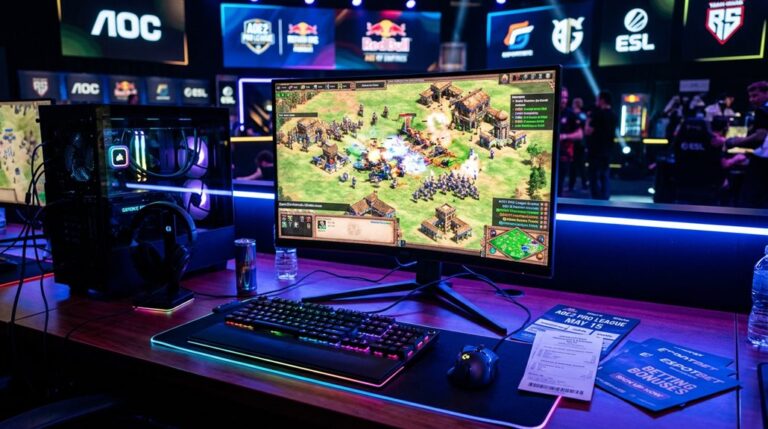
Playing AOe2 on PS5 offers consistent performance at 60 FPS with 4K visuals, but graphics are limited compared to PC, which can run at higher frame rates, sharper textures, and extensive visual options. Controls are more precise on PC with mouse and keyboard, while PS5 relies on gamepad with less control flexibility. PC also provides more customization, mod support, and early access, making it ideal for detailed gameplay. Continue exploring to understand which version aligns best with your gaming preferences.
Scout Report
- PC offers higher visual customization, sharper textures, and modding, while PS5 provides a stable 60 FPS at 4K.
- PS5 has optimized performance with consistent frame rates and quick load times, unlike the fluctuating PC performance.
- PC provides precise controls with mouse and keyboard, enhancing unit management and faster navigation.
- PS5 features exclusive maps, DualSense support, and simpler UI, appealing to console players.
- Choose PC for extensive customization and modding, or PS5 for a stable, plug-and-play experience.
How Do Performance and Frame Rates Differ Between PS5 and PC?
When comparing the performance and frame rates of Age of Empires 2: Definitive Edition on PS5 and PC, you’ll notice clear differences in stability and consistency.
The PS5 maintains a steady 60 FPS at 4K resolution without stuttering, ensuring excellent performance stability.
In contrast, PC frame rates vary markedly based on hardware, though high-end systems achieve over 100 FPS.
Additionally, optimizing graphics settings, such as performance cost, can significantly impact the overall gaming experience on different hardware configurations.
What Are the Key Differences in Graphics Quality and Visual Fidelity?
The differences in graphics quality and visual fidelity between the PS5 and PC versions of Age of Empires 2: Definitive Edition are significant and impact how the game appears and feels during play.
PC offers higher resolution, sharper textures, and more detailed visual enhancements, such as variable shadows and environmental details. PS5’s textures are less refined, with fixed shadow quality and limited environmental draw distance. Additionally, the PS5 textures appear to be of medium quality, with little to no anisotropic filtering, which affects the clarity of distant textures. The PS5 GPU performance is closer to an RTX 2070, yet it still cannot match the detailed customization available on the PC, where players can tweak settings for optimal visual fidelity. The limited visual customization options on PS5 mean players have less control over how the game looks compared to the PC version.
How Do Controls and User Interfaces Vary Across Platforms?
Controls and user interfaces differ considerably between the PS5 and PC versions of AOE2, mainly because of the different input methods and hardware capabilities. On the PS5, players use a gamepad with buttons and directional controls that require different methods of movement and have limited customization options. In contrast, the PC relies on a mouse and keyboard for precise selection and faster access to features. These differences affect how players interact with the game, with the PC offering more control and flexibility, especially in tactical execution and interface traversal. Additionally, the control remapping options available on PC allow for tailored gameplay experiences, which are largely unavailable on the PS5.
Control Schemes and Precision
Control schemes and user interfaces differ markedly across the PS5 and PC platforms, primarily due to the distinct input devices and browsing methods available on each.
The PS5’s control precision is limited by analog stick movement and radial menus, affecting targeting and selection accuracy.
In contrast, the PC offers higher graphical fidelity and precise control through mouse clicks, enabling faster and more accurate unit management.
UI Customization Options
Platforms differ markedly in how they allow players to customize the user interface (UI), affecting how you can adjust visual elements, layout, and interaction methods. PC supports UI scaling and extensive visual customization, including mods for themes, transparency, and font size.
In contrast, PS5 offers limited UI scaling options, with a fixed UI size and minimal customization, mainly through predefined content.
Navigation and Accessibility
The way players traverse and access different features in Age of Empires 2 differs considerably between the PS5 and PC versions, primarily due to the distinct control schemes and user interface designs.
The PC offers direct point-jumping with a mouse, fast camera panning, and instant tech tree access.
Meanwhile, the PS5 relies on L2, R2, and D-pad controls, with lower graphical fidelity for precise clicking and limited menu options.
What Platform-Specific Content and Features Are Available?
Platform-specific content and features in Age of Empires II differ between the PS5 and PC versions. The PS5 offers exclusive maps and content, along with optimizations like 4K graphics and DualSense controller support. Meanwhile, the PC version provides additional customization options, HDR support, and unique game modes. Additionally, the Feral Interactive port ensures optimized performance and stability on macOS, enhancing the overall experience. These differences guarantee each platform delivers a customized experience suited to its hardware capabilities and user preferences.
Exclusive Content and Maps
Although many features and content are shared across the different versions of Age of Empires 2 on PS5 and PC, some platform-specific details are notable.
Both platforms include DLC integration with multiplayer modes, offering access to expansions like Lords of the West and Dawn of the Dukes.
However, the PC version often allows earlier access and pre-order bonuses, which can affect the overall experience.
Platform-Specific Optimization
Different platforms offer unique features and optimizations that can affect your gameplay experience in Age of Empires 2. The PS5 provides high graphics fidelity with native 4K resolution and improved texture clarity, along with input options like the DualSense controller.
PC allows adjustable resolution, detailed input customization through keyboard and mouse, and supports modding for enhanced visual and gameplay options.
How Do Hardware Compatibility and Customization Options Compare?
When comparing hardware compatibility between the PS5 and PC for playing Age of Empires II DE, it’s clear that the PS5 offers a highly optimized experience with native 4K resolution and fast load times thanks to its integrated SSD and fixed hardware setup. PC flexibility allows for custom hardware, affecting server stability and network latency, which can impact gameplay quality. Additionally, understanding build orders can help optimize gameplay performance based on hardware capabilities.
Which Platform Offers Better Mod Support and Customization?
The PC platform offers considerably better mod support and customization options compared to the PS5, mainly because of its open system and flexible tools. Its modding ecosystem includes over 9,000 mods, with extensive libraries and full file access for editing. This flexibility is similar to the strategic depth found in civilizations like the Mapuche, where understanding unique units and tech trees can significantly enhance gameplay.
Which Version Is Better Suited to Your Playstyle and Setup?
Choosing between the PS5 and PC for Age of Empires II: Definitive Edition largely depends on your playstyle and setup.
If you prioritize multiplayer matchmaking and cross-platform play, the PC version offers more options and better integration.
The PS5 version may have limitations in these areas but provides a simpler setup, suited for casual players preferring console controls.
Additionally, if you’re interested in competitive strategies like mastering the Scout Rush, the PC version typically provides more detailed build orders and guides, which can give you an edge in gameplay.
Frequently Asked Questions
Can You Play Multiplayer Cross-Platform Between PS5 and PC?
Yes, you can play multiplayer cross-platform between PS5 and PC, thanks to cross-platform compatibility. Just guarantee crossplay is enabled, your devices run the same game version, and set your controller preferences accordingly for a smooth experience.
Is There a Difference in Multiplayer Lag or Latency?
You’ll notice multiplayer lag and latency differences, with PS5 experiencing more stutter and frame drops due to lower graphics performance and controller responsiveness issues, compared to the smoother, more stable experience on high-end PCs with advanced graphics settings.
Are There Exclusive Features or Content on Either Platform?
You’ll find exclusive features like graphics enhancements on PC, allowing customization and higher frame rates, while PS5 offers controller compatibility with the DualSense, adaptive triggers, and immersive 3D audio — choose based on your preferred gameplay experience.
How Easy Is It to Get Started on Each Platform?
Getting started on PS5 is easier thanks to streamlined setup, tutorials, and intuitive control schemes that adapt to game graphics, making orientation simple. On PC, you handle more configuration, but controls are customizable for a personalized experience.
Does the Game Support Additional Peripherals or Accessories?
You’ll find good peripheral compatibility and accessory support on both versions, with the PS5 supporting DualSense controllers and VR2, while PC offers support for keyboards, mice, joysticks, and force feedback steering wheels, enhancing your gaming experience.
GG
Choosing between AOE2 on PS5 or PC depends on your priorities. The PC version generally offers better performance, higher graphics quality, extensive mod support, and more customization options. However, PS5 provides a convenient, streamlined experience with controlled controls and user interface. If you value flexibility and advanced features, PC is the better choice. If you prefer simplicity and ease of use, PS5 might suit your needs better. Your decision should align with your playstyle and setup preferences.



4 Comments