
AOE2 on Macbook: Is It Actually Playable?
Playing Age of Empires II on your MacBook is possible with native support, emulation, or compatibility layers like CrossOver or Wineskin, but performance varies by model. Apple Silicon Macs generally offer smooth gameplay at high frame rates, especially with optimized settings, while Intel Macs may experience lag or graphical issues. Multiplayer is limited to Mac-to-Mac, and some technical adjustments might be necessary. Continued exploration reveals how to maximize your gaming experience effectively.
Scout Report
- Native macOS version supports multiplayer, game customization, and is optimized for Apple Silicon Macs.
- Emulation layers like CrossOver or Wineskin can enable Play on Intel Macs but may reduce performance.
- Apple Silicon Macs achieve high FPS, making gameplay smooth and enjoyable with proper graphics settings.
- Performance varies: Apple Silicon Macs perform better than Intel-based Macs, which may experience lag or glitches.
- Common issues include graphical glitches and network disconnects, but many are fixable with updates and configuration adjustments.
Can You Play Age of Empires II on Mac?

Yes, you can play Age of Empires II on a Mac, but it depends on the version and your hardware.
The native macOS version supports game customization and multiplayer compatibility, allowing you to modify game settings and play online with others. Additionally, owning the Windows version on Steam grants Mac users access to the game, with no need for a separate purchase, and cross-platform ownership transfer is included. To guarantee smooth gameplay, your Mac needs Apple Silicon processors, at least 8GB RAM, and macOS 15.7 or newer. Feral Interactive’s upcoming release in May 2026 will further enhance the Mac gaming experience. Multiplayer features are limited to Mac-to-Mac gameplay, so you won’t be able to play cross-platform with other devices.
How to Play AoE2 on Your MacBook Using Emulation or Compatibility Layers
To play Age of Empires II on your MacBook using emulation or compatibility layers, you need specialized software like CrossOver, PlayOnMac, or Wineskin Winery. These tools enable Windows applications to run on macOS by creating a virtual machine or managing software compatibility. These tools require specific configurations, such as enabling DirectX emulation or installing runtime components, to guarantee proper game performance. Running Age of Empires 2 DE on macOS with Crossover involves creating a Windows 10 bottle, installing Steam and the game, and configuring DLLs like `ucrtbase.dll` for compatibility. Ensuring compatibility often involves managing software dependencies to optimize performance and stability.
What Performance Can You Expect on Different Mac Models?
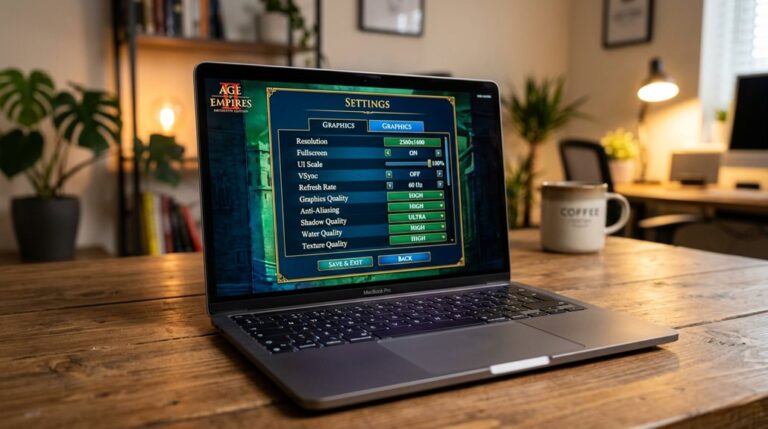
The performance you can expect when playing Age of Empires II on different Mac models varies considerably depending on the hardware design. Apple Silicon Macs achieve high frame rates with optimized graphics and minimal compatibility challenges, such as stable 60 FPS at 4K resolution on M1 Max and 70+ FPS on M2 Pro. Optimizing graphics settings—like reducing shadow quality, turning off anti-aliasing, and lowering texture details—can significantly improve frame rates with minimal visual impact. Graphics options play a crucial role in enhancing gameplay performance. Intel-based Macs face lower performance, often requiring virtualization and experiencing issues like lag and desync, especially at higher resolutions.
Common Issues When Running AoE2 on Mac and How to Fix Them

Running Age of Empires II on a Mac can present several common issues that disrupt gameplay or prevent the game from launching properly. Graphical glitches, such as flickering or artifacts, often occur due to rendering problems. Network incompatibilities cause multiplayer disconnects or failed connections. Addressing these issues may require updating drivers, adjusting settings, or disabling overlays to improve stability and gameplay experience. Additionally, platform-specific differences can influence performance and compatibility, making it important to understand how the game interacts with macOS versus other systems.
Is Playing AoE2 on Mac Worth It? Pros, Cons, and Recommendations
Playing Age of Empires II on a Mac can be a worthwhile experience, especially with the improvements brought by the native macOS version released on May 28. It offers better compatibility and performance than previous methods. It supports game customization options and provides multiplayer stability with low latency, making it suitable for players seeking reliable gameplay and the ability to modify content easily. Additionally, the installation process has been simplified, ensuring a smoother setup for Mac users.
Frequently Asked Questions
Can I Play Age of Empires II Natively on macOS Without Emulation?
Yes, you can play Age of Empires II natively on macOS with Apple Silicon, thanks to Mac compatibility and native performance. You don’t need emulation or virtual machines, just make sure your Mac meets the system requirements.
Which Mac Models Provide the Best Performance for Aoe2 via Emulation?
You’ll get the best performance for AOE2 via emulation on M3 or M4 Mac models, thanks to enhanced graphics optimization and emulator compatibility. These chips handle higher FPS and advanced features, ensuring smoother gameplay and minimal frame drops.
Does Playing Aoe2 on Mac Require a Paid Subscription or Special Hardware?
Playing AOE2 on Mac requires a paid subscription or software like Crossover, but no special hardware. Adjusting graphics settings helps performance, and online multiplayer remains accessible, making gameplay feasible without costly upgrades, depending on your software choices.
How Stable Is Aoe2 on Mac Using Crossover or Wine Wrappers?
You find that Age of Empires II on Mac with CrossOver or Wine wrappers isn’t very stable, especially in multiplayer, due to graphics optimization issues and frequent freezes. Improving stability requires tweaking settings and using porting options.
Are There Any Legal or Warranty Risks Using Emulation Software for Aoe2?
Using emulation software for AOE2 poses legal risks, like copyright violations, and warranty concerns, as Apple may refuse support for issues caused by unofficial tools. You could face account bans and system instability, risking data security and device functionality.
GG
Playing Age of Empires II on a MacBook is possible, but your experience depends on the model and method used. Emulation and compatibility layers can help run the game, but performance may vary, especially on older Macs. Expect potential issues like lag or graphics problems, which can often be fixed with updates or settings adjustments. Overall, if your Mac meets the requirements and you are willing to troubleshoot, playing AoE2 on Mac can be feasible and enjoyable.